Twitch View Bot Metrics: What Your Viewer Count Really Means
Understand the difference between live viewers, chat users, and lasting audience growth. Learn how to read your stream metrics and turn each broadcast into a useful next step.
VE
ViewPilot Editorial Team · ViewPilot team
· 5 min read
Guides
A stream can show a higher viewer count without gaining a single regular. It can also have a quiet chat and a healthy audience. Those two situations look similar at a glance, but they mean very different things for a creator.
If you are researching a Twitch view bot, understanding that difference is more useful than chasing the largest number on a dashboard. This guide explains how to read live audience metrics, separate service delivery from community growth, and make better decisions after each broadcast.
Start with the question behind the number
Before opening an analytics page, decide what you want to know. “Did the session run?” is a delivery question. “Did people enjoy the stream?” is a content question. “Will they come back?” is a retention question.
One chart cannot answer all three. A service dashboard may help you review a session, while Twitch analytics describes recorded channel activity. Neither automatically proves that new people became fans.
Keep those questions separate and your post-stream review becomes much more useful.
Viewer count, chat users, and unique viewers are different
The live counter measures concurrent viewing. The chat list shows accounts connected to chat. Twitch explains that someone can be connected to chat without watching the video, or watch without appearing in that list. Updates can also take a few minutes. See Twitch’s guide to viewer count and users in chat.
For the rest of your review, use this quick reference:
Metric
The question it helps answer
What it does not prove
Concurrent viewers
How many viewers were recorded at a particular moment?
How many will return
Average viewers
What audience level was sustained across the broadcast?
That every viewer stayed for the whole stream
Peak viewers
What was the highest concurrent count?
That the peak was typical
Unique viewers
How many distinct viewers were recorded during the selected period?
How long each person watched
Unique chatters
How many different people sent messages?
That silent viewers were disengaged
Twitch’s Analytics Overview explains these metrics and the Stream Summary available after a broadcast. Always check the date range before comparing two numbers.
Why a short spike can be misleading
Consider a hypothetical two-hour stream. It records 10 viewers for 90 minutes and 50 viewers for the final 30 minutes. Its time-weighted average is 20, even though the peak is 50.
That calculation is an illustration, not a prediction of how Twitch will report a particular channel. It shows why a screenshot of your best minute is a poor summary of the whole evening.
The useful follow-up is to review what happened at the change: a raid, a shared clip, a category switch, a scheduled segment, or a managed session. Write down the time so you can compare it with the recording later.
What a Twitch view bot dashboard can and cannot tell you
A configured target is a setting. A delivery status is a service report. A Twitch audience total is a platform measurement. Treating them as interchangeable creates confusion when their values differ.
ViewPilot provides viewer target and pacing controls alongside channel analytics. Use the controls to understand the session state, and the analytics to review the broader broadcast. You can explore the product on the ViewPilot homepage.
Do not simply subtract a service’s reported delivery from Twitch’s total and label the remainder “organic viewers.” Different update times and measurement methods can make that subtraction unreliable. It is a rough arithmetic difference, not verified attribution.
There is also a platform-policy distinction: Twitch prohibits artificial engagement, and intentional participation can lead to enforcement, including suspension. A dashboard feature is not Twitch approval. Read the official fake-engagement guidance when assessing any third-party service.
Build a review you can actually repeat
A useful review should take ten minutes, not become another job. Keep a short note for every stream:
Context: category, language, start time, duration, and the promise in your title.
Events: raids, collaborations, external promotion, technical problems, and any managed activity.
Audience: average and peak viewers, plus unique viewers where available.
Conversation: questions people asked and moments that sparked voluntary discussion.
Next step: one specific change for the next broadcast.
Compare several similar broadcasts before drawing a conclusion. A weekend tournament and a quiet weekday practice session are different products, even when they happen on the same channel. Our guide to the best time to stream on Twitch is a useful companion when organizing your schedule.
Turn the review into better content
Suppose viewers arrive during a challenge but leave when you spend ten minutes arranging the next match. Your next experiment could be a short recap and a clear explanation of what comes next.
If chat repeatedly asks the same question, make that answer part of your opening. If newcomers seem lost, explain the current objective without requiring them to know yesterday’s stream. If a clip attracts attention, give the next live broadcast a recognizable connection to it.
These are practical changes you can evaluate. A bigger counter alone cannot tell you which one to make.
Frequently asked questions
Does a quiet chat mean the viewers are fake?
No. People can watch without typing. Chat activity alone is not enough to judge audience authenticity, and a busy chat is not proof that every viewer is genuine either.
Why does the viewer count differ from the chat list?
They measure different activity. Watching video and connecting to chat are separate, and their displayed values can update at different times.
Does a higher viewer count guarantee channel growth?
No. It does not guarantee repeat visits, subscriptions, discovery, or Partner acceptance. Look for evidence that people choose to return and engage with the content over multiple broadcasts.
Which metric should I review first?
Start with average viewers for a broad view of the session, then check the timeline and your notes. The goal is to explain what happened, not to pick the most flattering number.
Make your next stream easier to evaluate
Choose one content improvement, keep your schedule reasonably consistent, and record the result. ViewPilot’s analytics can support that review, but your strongest evidence is a pattern of people coming back because they want to watch.
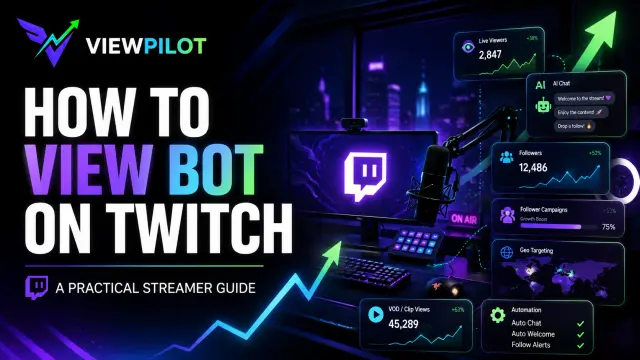
How to View Bot on Twitch in 2026: A Practical Streamer Guide
Learn how Twitch view botting works, why streamers use viewer boosts, which features matter, and how platforms like ViewPilot.gg combine viewers, AI chat, followers, geo targeting, VOD views, and automation.