How to View Bot on Twitch in 2026: A Practical Streamer Guide
Learn how Twitch view botting works, why streamers use viewer boosts, which features matter, and how platforms like ViewPilot.gg combine viewers, AI chat, followers, geo targeting, VOD views, and automation.
AS
Alex Streamer · ViewPilot team
· 9 min read
Guides
Growing on Twitch is difficult for one simple reason: visibility usually follows viewership.
A new streamer may have good content, professional audio, an attractive overlay, and a consistent schedule, yet still appear near the bottom of a crowded category because almost nobody has discovered the channel.
This creates a frustrating cycle. Low viewer numbers lead to poor directory placement, poor placement leads to fewer clicks, and fewer clicks keep the viewer count low.
That is why so many creators search for how to view bot on Twitch.
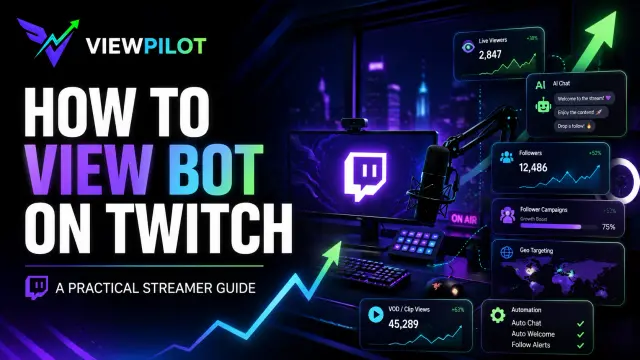
A Twitch viewer bot is generally used to increase the visible activity around a channel. Basic tools may only affect the live viewer counter, while more advanced platforms combine live viewers, chat activity, follower campaigns, geo targeting, clip views, VOD views, scheduling, and automation.
This guide explains how Twitch view botting works, why streamers use it, which features actually matter, and how an all-in-one platform such as ViewPilot.gg differs from basic viewer tools.
Artificial engagement is against Twitch’s platform rules. However, Twitch is unable to determine who is artificially engaging with a channel, as it could be anyone.
What Is a Twitch Viewer Bot?
A Twitch viewer bot is a third-party tool that increases the apparent number of viewers watching a livestream.
The simplest services only add a selected number to the live viewer count. More advanced systems allow streamers to control how activity appears across different parts of the channel.
The purpose is not difficult to understand. A channel showing visible activity often appears more established than a completely empty stream.
That first impression can influence whether a real visitor clicks, stays, chats, or immediately returns to the category page.
Why Do Streamers Use View Bots?
The biggest reason is discoverability.
Twitch categories are often crowded, and streams are typically presented in a way that gives more visible placement to channels with higher concurrent viewership.
For a streamer sitting at zero viewers, even good content can remain effectively invisible.
A viewer boost may help with several common problems.
Escaping the Zero-Viewer Position
A stream with zero or one viewer can look inactive, especially to users browsing quickly through a category.
Increasing the visible audience may help the channel appear more established and move above some lower-ranked streams.
This does not guarantee organic growth, but it can create more opportunities for discovery.
Creating Social Proof
People use visible activity as a shortcut when deciding what deserves attention.
A stream with an active-looking audience may seem more interesting than an empty one before the visitor has watched any actual content.
This is the same reason users pay attention to:
Product reviews
Social media likes
YouTube view counts
Discord member totals
Follower numbers
Busy restaurant queues
The number itself creates curiosity. The quality of the stream determines whether that curiosity becomes a real audience.
Supporting Advertising and Promotion
Some streamers spend money promoting their content through TikTok, YouTube, social media ads, influencer collaborations, giveaways, or sponsorship campaigns.
Sending paid traffic to an empty-looking stream may weaken the first impression of the campaign.
For that reason, some creators use viewer activity as part of a broader promotional setup. The advertisement brings visitors to the channel, while the visible audience makes the destination appear more active.
The stream still needs to be entertaining. A boost may support the presentation, but it cannot fix poor audio, weak content, or an unresponsive streamer.
How Professional Twitch Viewer Tools Work
A professional viewer platform is usually built around campaigns.
The streamer connects or enters a channel, selects the type of activity required, configures the campaign, and monitors it through a dashboard.
The difference between a basic bot and a more advanced platform is usually control.
A low-quality tool may offer only one option: choose a number and start.
A more complete platform allows the creator to manage several parts of the channel from one interface.
Live Viewer Controls
Live viewer campaigns are the core feature of most Twitch boost platforms.
Instead of applying one fixed number, advanced tools may allow the streamer to control:
Target viewer amount
The speed at which activity increases
Campaign duration
Start and stop behavior
Automatic activation
Country distribution
Changes during the stream
This level of control is useful because not every broadcast requires the same setup.
A small creator streaming in a niche category may want a different campaign than a channel promoting a major event, product launch, tournament, or sponsored stream.
ViewPilot.gg, for example, is structured around flexible live campaign controls rather than a simple one-click viewer counter. Users can configure how their live activity is managed and adjust it from the dashboard.
Geo-Targeted Viewer Campaigns
Geo targeting allows streamers to select the countries or regions associated with a campaign.
This may be relevant for creators who produce content in a specific language or want their visible audience distribution to match the market they are targeting.
For example, a German-language streamer may prefer activity associated with Germany, Austria, or Switzerland, while an English-language creator may focus on the United States, United Kingdom, Canada, or Australia.
Geo selection can also be useful when a creator is promoting:
A region-specific brand
A local event
A country-focused community
Language-specific content
A campaign aimed at a particular market
ViewPilot.gg includes geo configuration as part of its broader campaign system, allowing users to choose where they want activity to originate rather than relying on a completely random distribution.
Context-Aware AI Chat
One of the biggest differences between basic Twitch bot tools and newer platforms is AI-powered chat.
Traditional chat bots often rely on generic messages such as:
Nice stream
Great gameplay
Let's go
Amazing
Good job
These messages can quickly feel repetitive and disconnected from the broadcast.
A more advanced AI chat system can use the current conversation as context and generate messages related to what is actually happening in the stream.
On ViewPilot.gg, users can configure elements such as:
The number of active chat participants
How frequently messages are posted
The tone and style of the chat
Custom instructions or prompts
The type of conversation they want
The speed of chat activity
This allows the creator to shape the atmosphere around the broadcast.
A gaming stream may use a different prompt from a music stream, reaction channel, coding broadcast, or casual Just Chatting session.
Context-aware messages can also respond more naturally to ongoing topics instead of repeating isolated phrases.
However, the streamer should still remain active and responsive. AI chat can create motion, but the creator's own personality and communication are what make the stream worth watching.
Scheduled Follower Campaigns
Follower campaigns are another feature available on some all-in-one platforms.
Instead of receiving a large amount of activity immediately, users may be able to configure:
A target follower amount
A campaign start date
A campaign completion date
The rate of delivery
Ongoing progress tracking
This gives creators more control over how a campaign develops over time.
For example, a streamer may choose a target and set the campaign to run gradually until a future date rather than applying everything at once.
ViewPilot.gg includes scheduled follower campaign controls that allow users to select how many followers they want and the date by which the campaign should be completed.
Clip and VOD Views
Twitch growth does not only happen during a live broadcast.
Clips and VODs can help new visitors understand a creator's content before they follow or return for the next stream.
Some platforms therefore support activity for:
Twitch clips
Stream highlights
Archived broadcasts
Full VODs
This can help a channel appear more active outside live hours and may support content that the creator is promoting through social media.
A clip shared on TikTok, X, Reddit, Discord, or YouTube may perform better as part of a broader content campaign than when it exists in isolation.
ViewPilot.gg allows creators to manage clip and VOD activity alongside live viewers, chat, and follower campaigns from the same platform.
Auto-Start and Saved Configurations
One of the most practical features for regular streamers is automation.
Rebuilding the same campaign before every broadcast wastes time.
With saved configurations and auto-start enabled, a creator can configure their preferred setup once and allow the system to activate when the channel goes live.
This may include:
Viewer targets
Delivery speed
Selected countries
AI chat instructions
Chatter quantity
Message frequency
Campaign timing
The creator can then make adjustments when necessary without starting from zero each time.
This is what makes a platform such as ViewPilot.gg closer to an all-in-one streamer boost dashboard than a basic view bot.
The value comes from managing several campaign types through one consistent workflow.
Basic View Bots vs. All-in-One Platforms
A basic viewer bot is usually limited.
It may increase the visible number, but it often provides little control, limited automation, poor monitoring, and no support for the rest of the channel.
An all-in-one platform may combine:
Live viewer control
Geo targeting
AI contextual chat
Follower scheduling
Clip views
VOD views
Auto-start
Campaign history
Real-time management
Saved presets
For creators who already use multiple tools, combining these features in one dashboard can make campaigns easier to configure and monitor.
ViewPilot.gg is positioned around this broader approach: one platform for managing several types of Twitch channel activity rather than separate tools for every feature.
Does View Botting Guarantee Growth?
No tool can guarantee that real people will enjoy a stream.
A viewer campaign may increase visibility or strengthen the first impression of a channel, but it cannot replace:
Entertaining content
Strong audio quality
Consistent commentary
Good stream titles
Attractive thumbnails and clips
A reliable schedule
Community interaction
Social media promotion
The most useful way to think about a viewer boost is as a visibility layer.
It may help more people notice a broadcast, but the creator still needs to convert attention into real watch time, followers, subscribers, and returning viewers.
A simple formula is:
Visibility earns the click. Content earns the viewer. Community earns the return visit.
Final Thoughts
The reason streamers search for how to view bot on Twitch is clear.
Starting at zero can make even a high-quality channel difficult to discover. Viewer activity can change how a stream appears, influence social proof, support promotional campaigns, and potentially improve its position inside a category.
Modern platforms go far beyond a basic viewer counter.
ViewPilot.gg combines live viewer controls, geo targeting, context-aware AI chat, scheduled follower campaigns, clip and VOD activity, saved configurations, and automatic startup inside one dashboard.
That makes it useful as an all-in-one streamer boost platform rather than a single-purpose tool.
Creators should still understand that artificial engagement is against Twitch's rules and that no service can guarantee account safety, organic growth, Partner approval, or sponsorship results.
Used alongside strong content, consistent promotion, and genuine community building, visibility tools may support a broader channel growth strategy. But the stream itself must still give real viewers a reason to stay.
Tagged
#twitch view bot
#twitch viewer bot
#view botting
#twitch growth
#twitch stream boost
#ai twitch chat
#twitch followers
#twitch vod views
#twitch clip views
#geo targeting
#streamer tools
#viewpilot.gg
AS
Written by
Alex Streamer
ViewPilot team
Guides
Best Time to Stream on Twitch in 2026: Days, Hours, and Growth Strategy
The best time to stream on Twitch is usually between 6 PM and 10 PM in your audience’s local time. Smaller streamers may see better growth between 10 AM and 4 PM, when competition is lower.