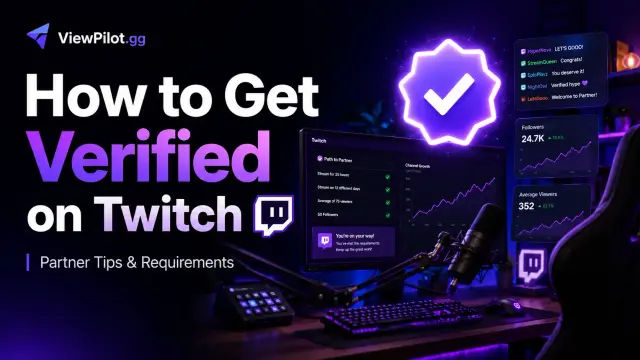
How to Get Verified on Twitch in 2026: Requirements and Partner Tips
Learn how to get verified on Twitch, meet the current Partner requirements, strengthen your application, and build the consistent audience Twitch looks for.
AS
Alex Streamer · ViewPilot team
· 9 min read
Guides
How to Get Verified on Twitch in 2026
That small purple checkmark beside a Twitch channel name represents much more than status.
Becoming verified can give a creator additional credibility, access to Partner features, improved support, more monetization options, and new opportunities to work with brands.
However, Twitch verification is not something you can simply request through a general account setting.
For most creators, the route to verification is becoming a Twitch Partner.
In this guide, you will learn how Twitch verification works, what the current Partner requirements involve, how to prepare a convincing application, and what you can do to build a channel that is genuinely ready for Partner status.
Last updated: July 2026
What Does It Mean to Be Verified on Twitch?
A verified Twitch account is generally a channel that has been accepted into the Twitch Partner Program.
Partners receive verified status and the associated badge automatically. There is no separate public application for buying or manually adding the checkmark.
This is one of the key differences between Twitch Affiliate and Twitch Partner:
Affiliates can monetize their content after meeting Twitch's entry-level requirements.
Partners are manually reviewed and selected by Twitch.
Verified status is normally associated with acceptance into the Partner Program.
Completing the Path to Partner achievement makes you eligible to apply, but it does not guarantee Twitch will approve your application.
Twitch Partner Requirements
Twitch can change its creator-program requirements over time, so your Creator Dashboard should always be treated as the final source of truth.
Twitch generally looks for consistent performance across recent broadcasts, including:
A reliable streaming schedule
Strong average concurrent viewership
Regular qualifying broadcasts
Consistent audience engagement
Published recent VODs
A good standing under Twitch's Terms of Service
Evidence that your audience is authentic and sustainable
The important word is consistent.
One unusually successful stream is unlikely to be as persuasive as several weeks of stable audience performance.
Twitch may also consider factors such as content quality, community activity, policy history, audience loyalty, and an established following on another platform.
How to Check Your Path to Partner Progress
You can review your progress from the Twitch Creator Dashboard:
Sign in to Twitch.
Open your Creator Dashboard.
Navigate to Analytics or Achievements.
Select Path to Partner.
Review your qualifying broadcasts and audience statistics.
Because Twitch evaluates performance over rolling periods, your progress can change as older streams move outside the measurement window.
Check the dates carefully before submitting your application.
Do not focus only on whether the dashboard displays completed requirements. Look at the overall shape of your growth as well.
A channel averaging 80 viewers consistently may present a stronger case than one jumping unpredictably between 20 and 200 viewers.
How to Get Verified on Twitch: A Practical Growth Strategy
Reaching the numerical requirements is only one part of becoming a Twitch Partner.
Twitch wants to see evidence that your channel can attract, retain, and engage a real community.
1. Build a Recognizable Channel Identity
Viewers should understand your channel within a few seconds.
A strong identity does not require an expensive logo or elaborate overlay. It requires a clear answer to three questions:
What type of content do you create?
Who is the content for?
Why should someone watch you instead of another streamer in the category?
"Variety streamer" is often too broad for an early-stage channel.
A more memorable position might be:
Educational high-rank gameplay with live coaching
Relaxed retro-game challenges
Competitive speedruns explained for beginners
Community-driven horror streams
Live digital art with audience prompts
Your positioning can expand as your audience grows, but clarity makes it easier for new viewers to remember and recommend you.
2. Follow a Predictable Streaming Schedule
A regular schedule helps viewers develop a habit around your content and shows Twitch that your recent performance is sustainable.
Choose a schedule you can maintain without sacrificing quality.
Three focused broadcasts per week will often produce better results than streaming every day without preparation.
Use the time between streams to:
Review analytics
Create clips
Plan segments
Communicate with your community
Improve your next broadcast
Display your schedule on your Twitch page and share it across your social channels.
When plans change, tell your audience early.
3. Improve Viewer Retention, Not Just Clicks
Getting someone to open your stream is useful.
Convincing that person to remain for 20, 40, or 90 minutes is much more valuable.
Review the first few minutes of your recent VODs and ask:
Does something interesting happen immediately?
Am I speaking even when chat is quiet?
Is the stream visually and audibly clear?
Do viewers understand the goal of the broadcast?
Are there long periods without interaction or progress?
Plan recurring segments, challenges, community decisions, progress goals, and natural conversation prompts.
Give viewers a reason to wonder what will happen next.
A stream with a clear beginning, middle, and destination is easier to follow than an open-ended broadcast with no apparent purpose.
4. Turn Every Stream Into Discoverable Content
Twitch is strongest as a live community platform, but discovery often begins elsewhere.
After each stream, identify moments that can become:
TikTok videos
YouTube Shorts
Instagram Reels
Longer YouTube highlights
Tutorials and guides
Reaction clips
Community posts
Discord discussions
Do not simply upload random gameplay moments.
Give each clip a self-contained story:
An immediate hook
Clear context
A satisfying payoff
A reason to visit your Twitch channel
One three-hour broadcast can produce several days of content when it is planned correctly.
5. Track the Streams That Grow Your Channel
Growth becomes easier when you stop relying on instinct alone.
Compare your broadcasts by:
Category
Start time
Stream length
Average viewership
Peak viewership
Unique chatters
Follower growth
Chat activity
Viewer retention
VOD performance
Look for repeatable patterns rather than isolated peaks.
For example, you may discover that:
Streams beginning one hour earlier retain more viewers.
A particular game attracts clicks but produces few followers.
Community challenges generate more active chatters.
Shorter, structured streams outperform long sessions.
One weekly format consistently introduces new viewers.
Use Twitch's Creator Dashboard for the official metrics involved in your Partner application.
Additional analytics tools can make it easier to identify long-term patterns.
Creator tip: ViewPilot offers a channel analytics dashboard for reviewing stream history, viewer trends, chat activity, follower changes, and VOD performance. Use analytics to improve authentic content and understand your audience rather than trying to manufacture Partner eligibility.
6. Create Reasons for Viewers to Participate
A successful Twitch stream is not simply watched. It feels interactive.
Encourage meaningful participation without forcing it.
You might let viewers:
Vote on the next challenge
Choose a loadout or character
Submit questions
Predict an outcome
Contribute to a community goal
Suggest topics for future streams
Join scheduled community games
Respond to viewers by name when appropriate, welcome returning community members, and develop recurring traditions.
The strongest Twitch communities feel as though the audience is helping shape the show.
7. Collaborate With Compatible Creators
Collaborations can introduce your channel to people who already enjoy similar content.
Look for creators whose audiences, values, and presentation styles naturally complement yours.
The best collaborations are not simple audience exchanges. They create an event that is more entertaining because both creators are involved.
Start by becoming a genuine member of adjacent communities.
Avoid entering another streamer's chat only to promote yourself.
Build relationships first, and propose a collaboration when you have a specific idea that benefits everyone involved.
How to Submit a Strong Twitch Partner Application
Once your dashboard allows you to apply, take time to prepare a thoughtful application.
Explain:
What makes your content distinctive
Who your audience is
How consistently you stream
How your community participates
What growth you have demonstrated
Whether you have an audience on YouTube, TikTok, Instagram, or another platform
What you plan to build as a Twitch Partner
Be specific.
"I am passionate about streaming" says very little.
A stronger explanation describes your format, audience, schedule, recent growth, signature content, and community culture.
Before applying, confirm that your recent broadcasts represent your channel at its best.
Keep recent VODs published so Twitch can review your content and presentation.
What Happens If Twitch Rejects Your Application?
A rejection does not necessarily mean your channel will never be accepted.
It may mean Twitch wants to see more evidence that your performance is stable and sustainable.
Continue streaming consistently, strengthen your weakest metrics, and build a larger buffer above the minimum requirements before applying again.
Instead of trying to produce one enormous broadcast, aim to make your normal streams predictably successful.
Review:
Audience retention
Average viewership consistency
Chat participation
Content quality
Broadcast schedule
Recent policy issues
External audience growth
VOD presentation
Treat the rejection as a signal to improve the overall health of your channel, not merely to chase a higher number.
Frequently Asked Questions
Can anyone apply for Twitch verification?
Twitch does not offer a general verification form for ordinary accounts.
Creators normally receive verified status after being accepted into the Twitch Partner Program.
Do Twitch Affiliates get verified?
No.
Affiliate status unlocks monetization features, but it does not automatically provide the Twitch Partner checkmark.
Is completing Path to Partner enough?
No.
Completing Path to Partner allows you to apply. Twitch manually reviews Partner applications, and meeting the minimum criteria does not guarantee acceptance.
Can I get verified through followers alone?
No fixed follower total guarantees verification.
Twitch places significant emphasis on consistent live viewership, active streaming, community engagement, content quality, and compliance.
Can an audience on another platform help?
Yes.
A substantial and engaged audience on platforms such as YouTube, TikTok, Instagram, or another streaming service can strengthen your application.
Can I pay to become verified on Twitch?
No.
Twitch does not sell Partner verification.
Any person or service claiming it can directly sell you a Twitch checkmark should be treated with caution.
How long does it take to get verified?
There is no universal timeline.
It depends on how quickly you build a stable audience, meet the current dashboard requirements, and pass Twitch's manual review.
Final Thoughts
Getting verified on Twitch is not about finding one shortcut.
It is about proving that your channel can consistently deliver content that real viewers choose to watch and participate in.
Build a recognizable format. Stream on a schedule your audience can trust. Study your analytics. Turn strong broadcasts into discoverable content. Develop genuine creator relationships.
Most importantly, focus on creating a community that remains valuable even when the viewer counter is hidden.
The verified badge may be the visible goal, but the audience and systems you build along the way are what can turn streaming into a lasting career.
Tagged
#twitch verification
#twitch partner
#twitch partner requirements
#twitch growth
#twitch streaming tips
#twitch analytics
#streamer growth
#how to get verified on twitch
#twitch affiliate
#viewpilot
AS
Written by
Alex Streamer
ViewPilot team
Guides
How to View Bot on Twitch in 2026: A Practical Streamer Guide
Learn how Twitch view botting works, why streamers use viewer boosts, which features matter, and how platforms like ViewPilot.gg combine viewers, AI chat, followers, geo targeting, VOD views, and automation.